Prvé vydanie

Swerve Omni Platform (steering wheels)

Four wheel modules that steer and drive independently: the drive of competition robots, small enough for a desk.

Náročnosť
Advanced
Čas stavby
3 to 4 evenings
Digitálny návod 22 €
Objednať e-mailom

Do jedného dňa ti pošleme platobné údaje (prevod alebo PayPal) a hneď po platbe ti súbory pošleme e-mailom.

PDF, kód a 3D súbory dostaneš e-mailom. Cena vrátane všetkých daní.

Stavebnica so súčiastkami 161,40 €

Stavebnica obsahuje aj návod. Dajte mi vedieť, keď bude stavebnica pripravená.

Táto stránka ešte nie je preložená, preto je zobrazená v angličtine.

Čo dostaneš

  • PDF guide: swerve kinematics, the 180° servo trick, cosine scaling, calibration
  • MicroPython firmware with steering optimisation and unit tests
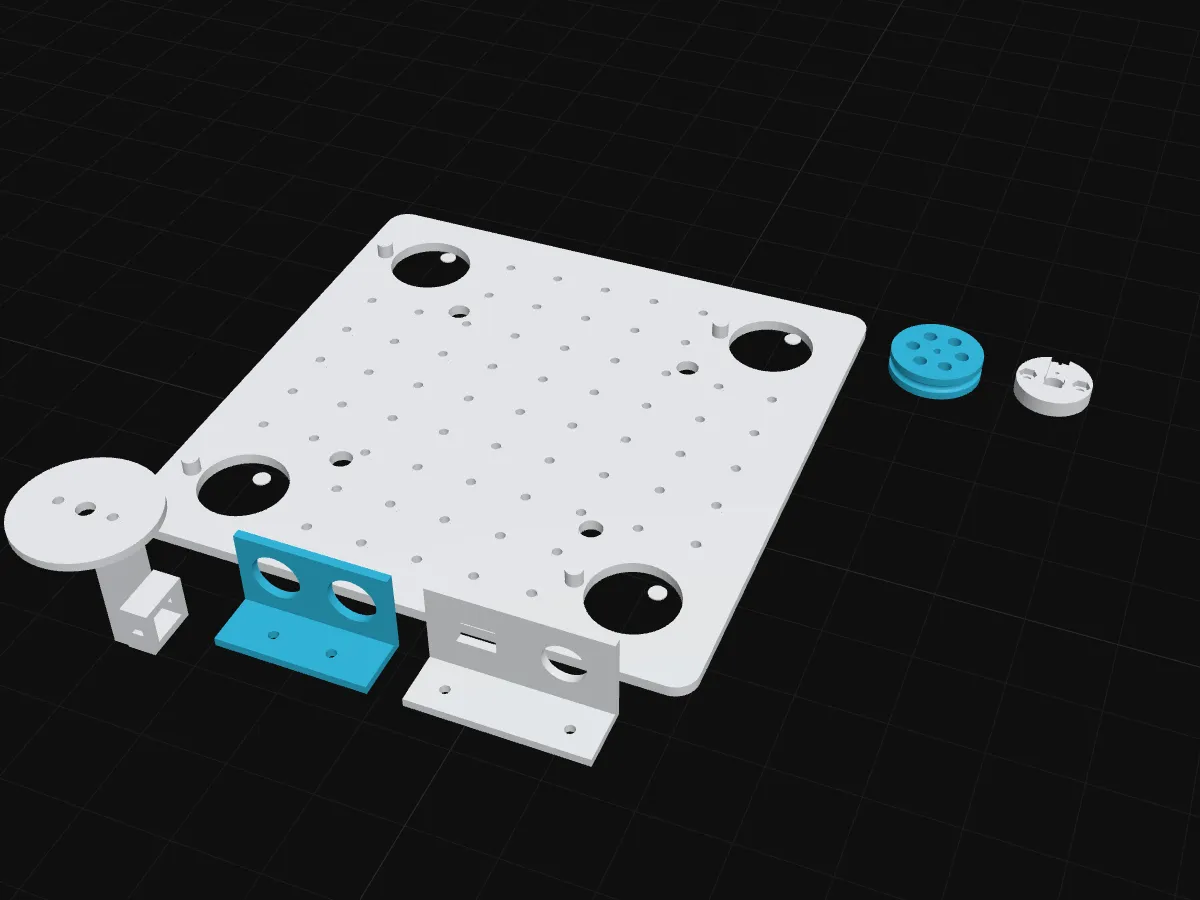
  • Printable modules, wheel hubs and deck (OpenSCAD source + STL)
  • Parts list with EU shops and alternatives
  • Optional camera chapters: colour following and driving with a vision language model

Pre koho to je

Experienced builders: you have built a robot with motors before and are comfortable with soldering and calibrating servos.

Swerve drive gives the smoothest motion of any wheeled robot: every wheel points exactly where it needs to go. The guide builds it from micro servos and N20 motors and explains the maths step by step. Here is the trick that makes cheap 180° servos enough:

Swerve modul: trik so 180°Servo sa otočí len o 180° (vyfarbené).
Uhol serva
−60°
Motor kolesa
reverse

Ak je požadovaný uhol mimo ±90°, otoč o 180° opačne a motor pusti dozadu.

Súčiastky, ktoré potrebuješ

  • 1× ESP32 DevKit, 38-pin, ESP-WROOM-32, CP2102, USB-C
  • 2× TB6612FNG dual DC motor driver module
  • 4× N20 micro gear motor 6 V, 75:1, ~220 rpm
  • 4× MG90S metal-gear micro servo, 180°
  • 1× PCA9685 16-channel 12-bit PWM / servo driver (I2C)
  • 2× LM2596 adjustable step-down (buck) module with voltmeter display
  • 1× HC-SR04 ultrasonic distance sensor
  • 1× Battery holder for 2× 18650 cells with leads
  • 1× Mini rocker switch ON/OFF, 2-pin, 15×10 mm (KCD1)
  • 1× Panel fuse holder 5×20 mm, screw cap
  • 1× Fuse 5×20 mm, 3 A, slow blow
  • 1× Electrolytic capacitor 1000 µF (16 V or higher)
  • 3× Solderless breadboard, 400 points (half size)
  • 40× Dupont jumper wires male–male 20 cm (pack of 40)
  • 10× Dupont jumper wires male–female 20 cm (pack of 40)
  • 5× Resistor 1/4 W (any one value, pack of 20)
  • 2× Silicone wire 22 AWG, red + black (per 0.5 m pair)
  • 4× Silicone wire 30 AWG, assorted colours (per 1 m)
  • 1× Heat-shrink tubing assortment (share per kit)
  • 10× Small zip ties 100 mm (pack of 100)
  • 24× M3 screw, 8–20 mm, with nut (from an assortment box)
  • 16× M2 × 5 mm self-tapping screw
  • 4× NBR O-ring 30 × 3 mm (tyre for printed wheels)
  • 1× USB-C data cable 1 m (USB-A to C)
  • 1× Deck (chassis plate) 3D
  • 4× Module fork 3D
  • 4× Wheel hub 3D
  • 4× Servo coupler 3D
  • 1× Sonar bracket 3D
  • 1× Power panel 3D

Nie je v stavebnici

  • 2 × 18650 Li-ion cells, ~3000 mAh, high-drain
  • Standalone 18650 charger
  • Multimeter and soldering iron

Úplný zoznam s obchodmi a lacnejšími alternatívami je v návode.

Pozri sa dovnútra

Prvá kapitola návodu, zadarmo na čítanie.

How swerve drive works

Mecanum wheels slide sideways on their rollers. A swerve drive does it differently: every wheel sits in a module that can turn the wheel to any direction (steering) and spin it (driving). Nothing slides. The wheels simply point where they need to go. It is the drive used by many top competition robots, because it pushes hard, does not slip, and goes anywhere.

What one module has to do

Every module has to answer one question, 50 times per second: “In which direction, and how fast, must my wheel roll?”

If the robot only moves (no turning), the answer is the same for all four: the robot’s own velocity. If the robot also turns, each corner moves differently: the corners on the outside of the turn move faster, and in a different direction. A module at position (x,y)(x, y) from the centre, on a robot moving with (vx,vy)(v_x, v_y) and turning with ω\omega, must move with

v⃗module=(vx−ω y,    vy+ω x)\vec v_\text{module} = \big(v_x - \omega\, y,\;\; v_y + \omega\, x\big)

The direction of that arrow is the steering angle. Its length is the wheel speed:

θ=atan2⁡(vy+ωx,  vx−ωy)s=(vx−ωy)2+(vy+ωx)2\theta = \operatorname{atan2}(v_y + \omega x,\; v_x - \omega y) \qquad s = \sqrt{(v_x - \omega y)^2 + (v_y + \omega x)^2}

The 180° trick

A wheel pointing at 120° and rolling forward moves the robot exactly like the same wheel pointing at −60° and rolling backward. Both describe the same arrow.

So a steering servo that turns only from −90° to +90° can still point a wheel in every direction: whenever the angle we need is outside its range, add 180° and reverse the motor. A bonus: the wires never twist, because the module never turns more than half a circle.

The firmware also picks, among the two equivalent options, the one closer to where the wheel points now. That keeps the steering movements short.

Swerve modul: trik so 180°Servo sa otočí len o 180° (vyfarbené).
Uhol serva
−60°
Motor kolesa
reverse

Ak je požadovaný uhol mimo ±90°, otoč o 180° opačne a motor pusti dozadu.

Two more details that make it smooth

Cosine scaling. A servo needs a moment to turn. If the wheel still points 90° away from where it should, driving it at full speed just scrubs the tyre sideways. So the drive speed is multiplied by cos⁡(error)\cos(\text{error}): full speed when aligned, zero when 90° off.

Hold the angle when stopped. When the stick is released, the speed is zero and the direction is undefined. The code keeps every wheel where it was instead of snapping back to straight ahead, so the robot does not twitch.

What each part does

JobOn this platformPart
Sensedistance in front, battery voltageHC-SR04, voltage divider
Decidejoystick → four (angle, speed) pairsESP32 DevKit, MicroPython
Act: steerpoint each wheelfour MG90S metal-gear servos through a PCA9685 servo driver
Act: drivespin each wheelfour N20 gear motors through two TB6612FNG drivers

You drive it from your phone, with the same joystick page as the mecanum platform. No app to install.

What is in this guide

  1. How swerve drive works (this chapter, free)
  2. Parts, printing and building the modules
  3. Power and wiring
  4. The code, calibrating the steering, and the first drive
  5. Add a camera (optional): parts, mount and flashing
  6. Camera: following a colour
  7. Camera: driving with a vision language model, safely
  8. Troubleshooting and what next

Chapters 5 to 7 are an optional upgrade: an ESP32-CAM on the front lets the robot follow a coloured ball or drive towards a goal you describe in words. The robot is complete without them.

Otázky

Why only 180° servos?

A wheel pointing at 120° and driving forward does the same as a wheel at −60° driving backwards. So 180° of steering is enough, and the wires never twist.

Should I start here?

Build the mecanum platform first if this is your first omnidirectional robot. It is simpler and uses the same phone app.

Is this tested?

No. This is a first edition: the modules are designed and checked in CAD, not yet test-printed. Kits are not on sale yet.

Digitálny návod 22 €
Objednať e-mailom

Do jedného dňa ti pošleme platobné údaje (prevod alebo PayPal) a hneď po platbe ti súbory pošleme e-mailom.

PDF, kód a 3D súbory dostaneš e-mailom. Cena vrátane všetkých daní.

Hodí sa k tomu