Erste Ausgabe

Mecanum Omni Platform (easy version)

A four-wheel platform that drives sideways, diagonally and spins on the spot, controlled from your phone.

Schwierigkeit
Intermediate
Bauzeit
2 to 3 evenings
Digitale Anleitung 16 €
Per E-Mail bestellen

Wir antworten innerhalb eines Tages mit den Zahlungsdaten (Überweisung oder PayPal) und schicken dir die Dateien direkt nach der Zahlung per E-Mail.

PDF, Code und 3D-Dateien bekommst du per E-Mail. Preis inkl. aller Steuern.

Bausatz mit Teilen 174,66 €

Der Bausatz enthält die Anleitung. Benachrichtige mich, wenn der Bausatz fertig ist.

Diese Seite ist noch nicht übersetzt und wird deshalb auf Englisch angezeigt.

Das bekommst du

  • PDF guide that explains why mecanum wheels can slide sideways, with the full kinematics
  • MicroPython firmware: phone joystick over Wi-Fi, autonomous mode, wheel encoders, speed control, battery protection
  • Calibration tools for motor direction and encoder counts, and unit tests for the maths
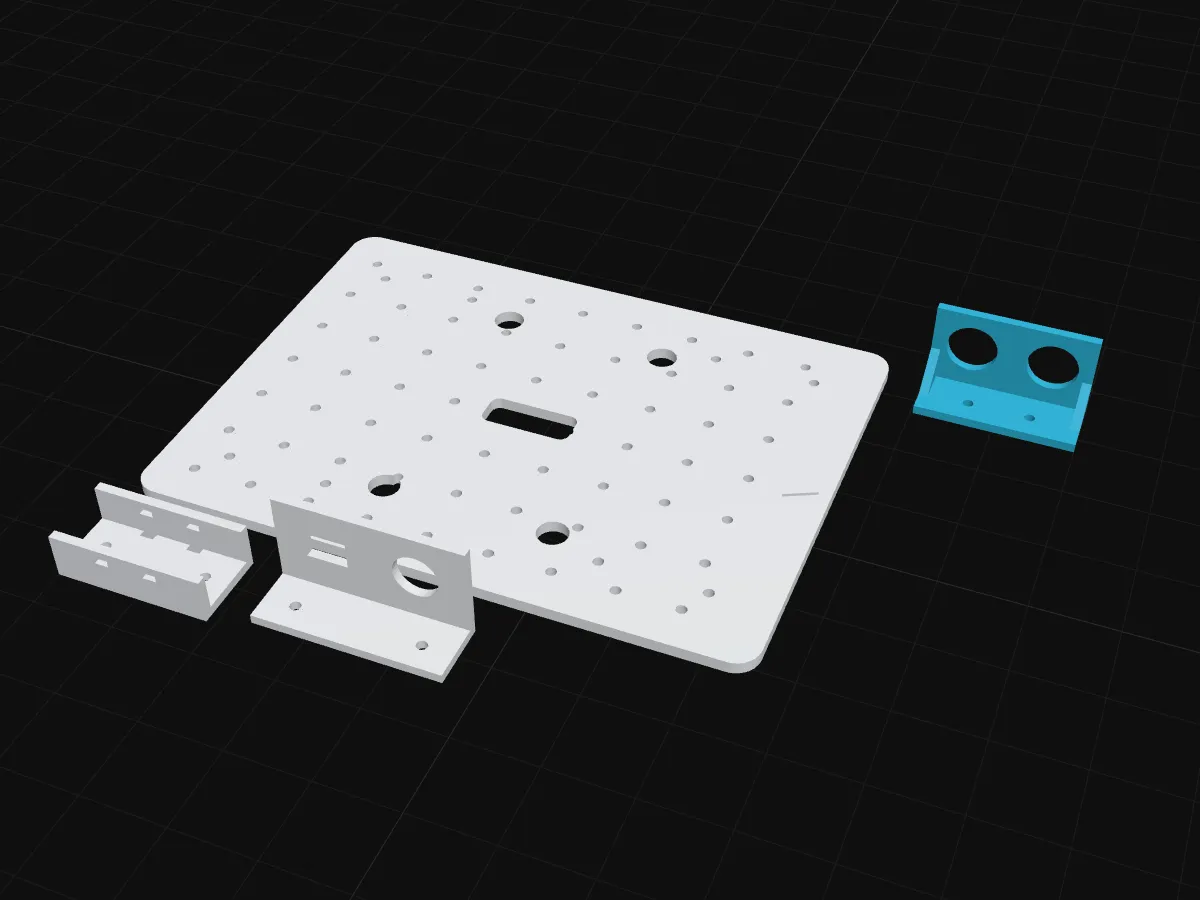
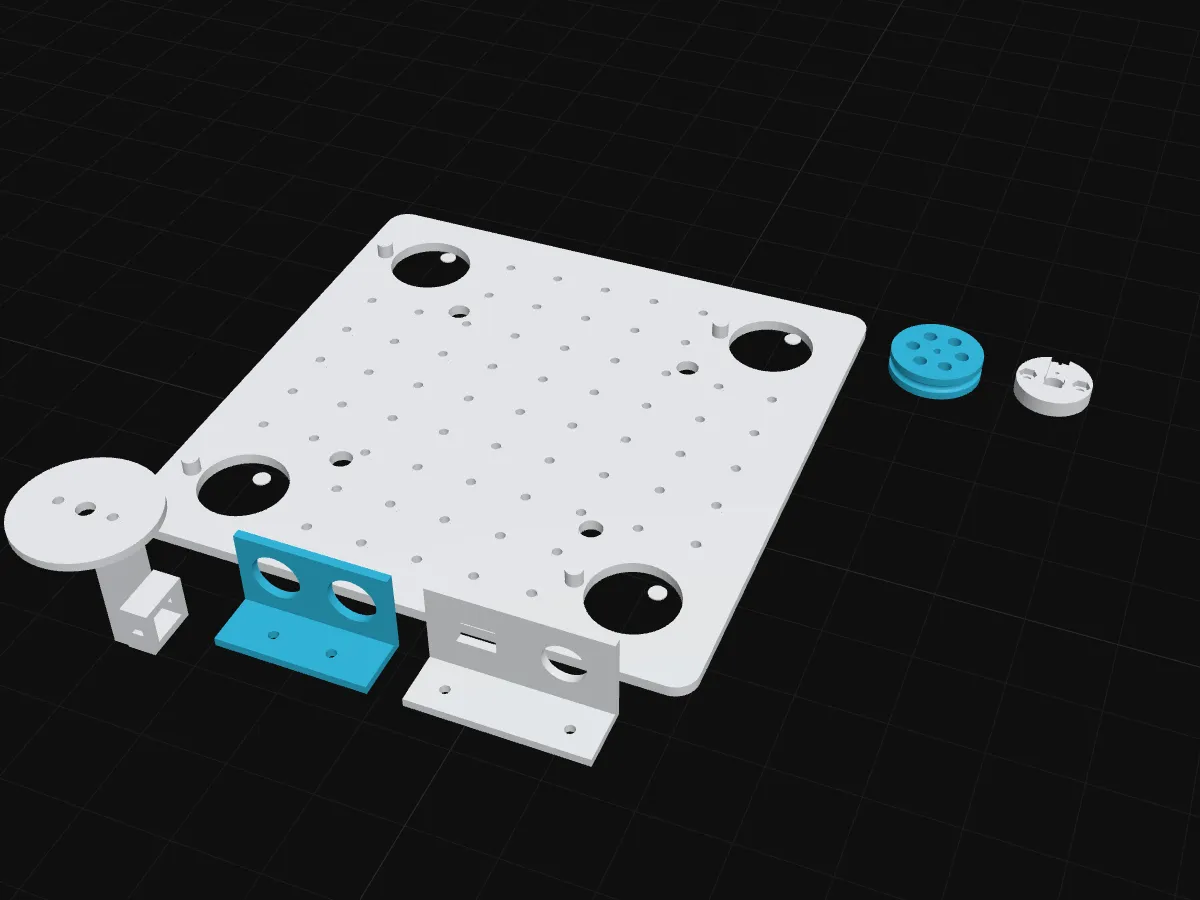
  • Printable chassis (OpenSCAD source + STL) with motor cradles, sonar bracket and power panel
  • Parts list with EU shops, a battery safety chapter, troubleshooting
  • Optional camera chapters: colour following and driving with a vision language model

Für wen

Builders who finished a first robot (or the Robotics for Dummies course) and want real robotics maths. Some soldering: battery leads and the fuse holder.

Each mecanum wheel has small rollers at 45°. One wheel alone pushes diagonally, but four of them together can push the robot in any direction. The guide shows the four lines of maths that decide how fast each wheel turns. Try them here:

Mecanum-Räder: welches dreht wohinZieh den Stick, dann probier das Drehen.
Vorwärts (vx)
0.00
Seitwärts (vy)
0.00
Drehen (ω)
0.00

Benötigte Teile

  • 1× ESP32 DevKit, 38-pin, ESP-WROOM-32, CP2102, USB-C
  • 2× TB6612FNG dual DC motor driver module
  • 4× DFRobot TT motor with built-in encoder, 120:1, 6 V (FIT0450)
  • 1× Mecanum wheels 60 mm, set of 4 (2 left + 2 right), TT shaft
  • 1× LM2596 adjustable step-down (buck) module with voltmeter display
  • 1× HC-SR04 ultrasonic distance sensor
  • 1× 4-channel bidirectional logic level converter (BSS138 type)
  • 1× Battery holder for 2× 18650 cells with leads
  • 1× Mini rocker switch ON/OFF, 2-pin, 15×10 mm (KCD1)
  • 1× Panel fuse holder 5×20 mm, screw cap
  • 1× Fuse 5×20 mm, 3 A, slow blow
  • 1× Electrolytic capacitor 1000 µF (16 V or higher)
  • 3× Solderless breadboard, 400 points (half size)
  • 40× Dupont jumper wires male–male 20 cm (pack of 40)
  • 12× Dupont jumper wires male–female 20 cm (pack of 40)
  • 5× Resistor 1/4 W (any one value, pack of 20)
  • 2× Silicone wire 22 AWG, red + black (per 0.5 m pair)
  • 1× Heat-shrink tubing assortment (share per kit)
  • 12× Small zip ties 100 mm (pack of 100)
  • 12× M3 screw, 8–20 mm, with nut (from an assortment box)
  • 1× USB-C data cable 1 m (USB-A to C)
  • 1× Deck (chassis plate) 3D
  • 4× Motor cradle 3D
  • 1× Sonar bracket 3D
  • 1× Power panel (switch + fuse) 3D

Nicht im Bausatz

  • 2 × 18650 Li-ion cells, ~3000 mAh, high-drain (e.g. techfun.sk 3.7 V 3000 mAh 10C)
  • Standalone 18650 charger
  • Multimeter
  • Soldering iron

Die vollständige Liste mit Shops und günstigeren Alternativen steht in der Anleitung.

Reinschauen

Das erste Kapitel der Anleitung, kostenlos lesbar.

How a robot drives sideways

A normal car cannot park by driving sideways. Its wheels can only push forwards or backwards, so it has to do the parking dance. The platform in this guide can simply slide into the gap. Warehouse robots, forklifts that carry aircraft containers and many competition robots use the same trick: mecanum wheels.

One wheel: a push at 45°

Look closely at a mecanum wheel. Around its edge sit small free-spinning rollers, all tilted at 45°. Only one roller touches the floor at a time.

  • Along the roller’s own axis, the roller cannot slip: the wheel grips the floor in that direction.
  • Across the roller’s axis, the roller spins freely: the wheel does not push at all in that direction.

So when the motor turns the wheel, the push on the floor does not go straight forward. It goes at 45°, forward and a little to the side. One wheel alone would make the robot crab diagonally.

Four wheels: add the pushes

Each wheel gives one diagonal push. The robot moves in the direction of all four pushes added together. Adding pushes is adding vectors: put the arrows tip to tail and the arrow from the first tail to the last tip is the result. Try it:

Vektoren addierenZieh an den zwei runden Punkten.
a + b
(5, 3)
a
(3, 0)
b
(2, 3)
Länge von a + b
5.83

|a + b| = √(5² + 3²)

The wheels are mounted so that the front-left and rear-right wheels push along one diagonal, and the front-right and rear-left wheels along the other. Now look at what happens:

You wantWhich way each wheel turnsWhy it works
Forwardall four forwardthe sideways parts of the pushes cancel, the forward parts add
Sideways leftfront-left and rear-right backward, the other two forwardnow the forward parts cancel and the sideways parts add
Spin on the spotleft side backward, right side forwardthe pushes cancel as a whole, but they twist the robot
Diagonalonly two wheels turnthe other diagonal pair stands still

Move the stick and watch the four wheels. The code on your robot uses exactly these four lines:

Mecanum-Räder: welches dreht wohinZieh den Stick, dann probier das Drehen.
Vorwärts (vx)
0.00
Seitwärts (vy)
0.00
Drehen (ω)
0.00

The maths, in four lines

Call the speed the robot should have forward vxv_x, to the left vyv_y, and its turning speed ω\omega (counter-clockwise). Then each wheel’s speed is:

ωFL=1r (vx−vy−k ω)ωFR=1r (vx+vy+k ω)ωRL=1r (vx+vy−k ω)ωRR=1r (vx−vy+k ω)\begin{aligned} \omega_{FL} &= \tfrac{1}{r}\,(v_x - v_y - k\,\omega) \\ \omega_{FR} &= \tfrac{1}{r}\,(v_x + v_y + k\,\omega) \\ \omega_{RL} &= \tfrac{1}{r}\,(v_x + v_y - k\,\omega) \\ \omega_{RR} &= \tfrac{1}{r}\,(v_x - v_y + k\,\omega) \end{aligned}

rr is the wheel radius and kk is how far the wheels sit from the centre (half the wheelbase plus half the track). Chapter 6 shows where every sign comes from and how the robot uses the same lines backwards to work out where it is.

What each part does

Like every robot, the platform runs the same three jobs in a loop, 50 times per second:

JobOn this platformPart
Sense“Is something in front of me? How fast is each wheel really turning? Is the battery getting empty?”HC-SR04 ultrasonic sensor, an encoder on each motor, a voltage divider on the battery
Decide“The stick says left and a bit of turn: how fast should each wheel go?”ESP32 DevKit running MicroPython
Actturn four wheels at four different speedsfour TT gear motors, two TB6612FNG motor drivers

You drive it from your phone: the robot makes its own Wi-Fi network and shows a joystick page in the browser. No app to install. There is also an Auto button: the robot drives on its own and slides out of the way of obstacles.

What is in this guide

  1. How a robot drives sideways (this chapter, free)
  2. Parts and where to buy them
  3. Printing the chassis and putting the mechanics together
  4. Power: the battery, the fuse and the 5 V supply, safely
  5. Wiring the motors, encoders and the sensor
  6. MicroPython, the code, and the maths behind it
  7. Calibration, wheel speed control and troubleshooting
  8. Add a camera (optional): parts, mount and flashing
  9. Camera: following a colour
  10. Camera: driving with a vision language model, safely
  11. Camera troubleshooting and what to build next

Chapters 8 to 10 are an optional upgrade: an ESP32-CAM on the front lets the robot follow a coloured ball or drive towards a goal you describe in words. The robot is complete without them.
Fragen

Will a kit include the battery?

No. Kits are not on sale yet, and even then lithium cells cannot be shipped easily and safely, so you buy two 18650 cells locally. The guide tells you exactly which ones.

Do I need the Obstabot first?

No, but it helps. The Starter Bundle gives you both guides for less.

Can I add a camera later?

Yes. The guide has optional camera chapters for an ESP32-CAM. It uses the same Wi-Fi commands as the phone, so the robot can follow a coloured ball or drive towards a goal a vision language model picks, with plain-code safety checks on every move.

Is this tested?

No. This is a first edition, written from one-to-one lessons and not yet built from this guide. Kits are not on sale yet.

Digitale Anleitung 16 €
Per E-Mail bestellen

Wir antworten innerhalb eines Tages mit den Zahlungsdaten (Überweisung oder PayPal) und schicken dir die Dateien direkt nach der Zahlung per E-Mail.

PDF, Code und 3D-Dateien bekommst du per E-Mail. Preis inkl. aller Steuern.

Passt dazu